Colour
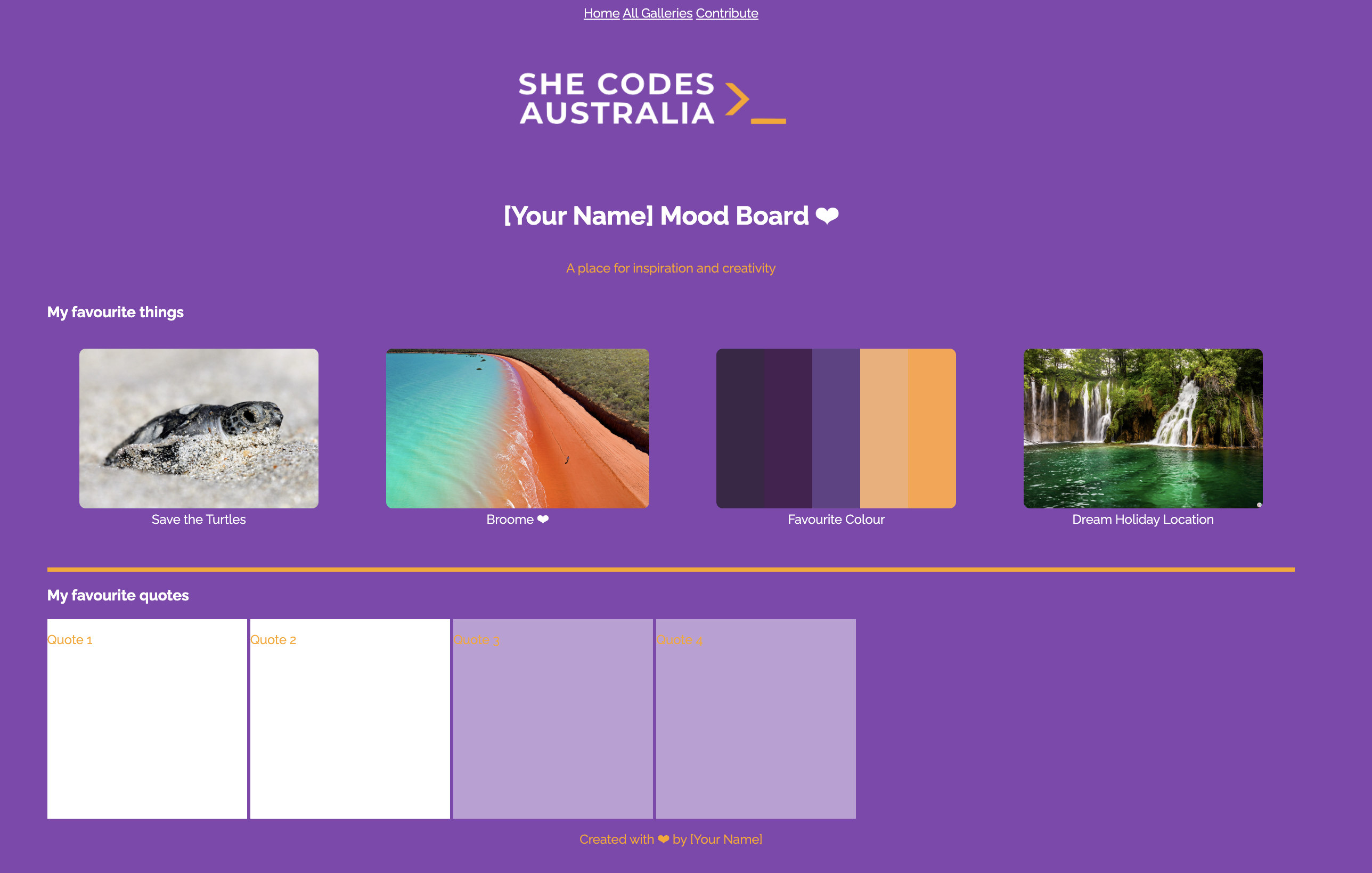
The next thing we’ll do is add some colour. This will also help us to see where one section ends and another starts.
Add the following
After - Add code
a:link {
  color: #ffffff;;
}
Test
The nav element should turn white.
Colours in CSS
Did you notice how we’ve been defining our colours?.
We used a strange code (#ffffff;) that would make things white, or ( #8246af) that would make things purple.
This is called a Hex Code, which is a 6-character code for representing colours which works in CSS.
There are several different ways of representing colours in CSS.
For example, there are some name colours. So if you didn’t want to use a specific colour, you could just use white or purple.
Challenge!
Try changing the background-color to use purple instead of the hex code.
There are only a few named colours (216 to be exact!). That might sound like a lot, but if we use hex codes instead, that opens us up to over 16 MILLION colours instead!
We can also represent colours using RGB codes too.
For example, skyblue is represented as rgb(135, 206, 235) in RGB.
For the full list of named colours check out this site, or use a colour picker.
Colouring our Page
Let’s get back to our CSS and start adding colours to the rest of the page!
Before - Update and add the code
body {
  display: flex;
  justify-content: center;
  align-items: center;
  flex-direction: column;
}
.first-row {
  height: 250px;
  width: 250px;
  display: inline-block;
}
.second-row {
  height: 250px;
  width: 250px;
  display: inline-block;
}
After - Updated code
body {
  color: #ffffff; /* This code is added */
  display: flex;
  justify-content: center;
  align-items: center;
  flex-direction: column;
}
p { /* This code is added */
  color: #ffa300;
}
.first-row {
  background-color: #ffffff; /* This code is added */
  height: 250px;
  width: 250px;
  display: inline-block;
}
.second-row {
  background-color: #be9fd5; /* This code is added */
  height: 250px;
  width: 250px;
  display: inline-block;
}
Challenge!
Change the background colour of each quote block.
Challenge!
Change the background colour of the footer.
Here’s what your page should look like so far: